Skip to content

Announcements

Announcements regarding our community

26 Topics 37 Posts
  • Hirecarta 2.0.3 - Application filter

    1
    1
    0 Votes
    1 Posts
    1 Views
    A
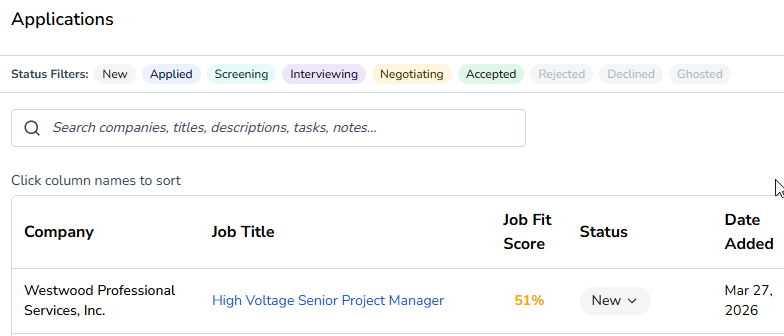
    Ever want to show or hide certain application status types, like "new", "ghosted", etc? Now you can! [image: 1774661982446-ef16852e-3f2f-4bc9-b5e7-6cc73d1b6703-image.png]
  • Hirecarta 2.0.1 - In-app guided tutorial

    1
    1
    0 Votes
    1 Posts
    4 Views
    A
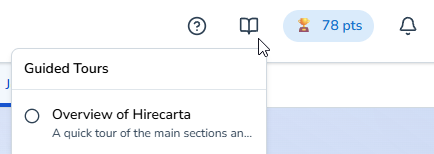
    To help everyone get the most out of Hirecarta, there's now a built-in tutorial. Access it from the tutorial icon at the top: [image: 1774298353985-42e254aa-41d9-4fa2-83fe-7d245f12c0ca-image.png]
  • Hirecarta 2.0.0 - Completely new UI and workflow!

    3
    2
    0 Votes
    3 Posts
    9 Views
    A
    @christiangaston if you use the Chrome extension to import jobs, it's the same workflow. Go to a job site, click import on the extension, it will automatically take you to the Job description tab of the Application section. If you are cutting and pasting a job description in, click on Applications at the top, then Job Description tab. Click Clear Fields and paste it in. You can find every tab from Hirecarta 1 by switching between Career, Application, and Support tabs at the top. Let me know if you need me to clarify anything.
  • Hirecarta 1.2.26 - Interview questions and answers!

    5
    1
    0 Votes
    5 Posts
    34 Views
    chesterlC
    @varunchaturvedi that's coming! Stay tuned
  • Hirecarta 1.2.25 - integrated headline and resume editing

    1
    2 Votes
    1 Posts
    8 Views
    A
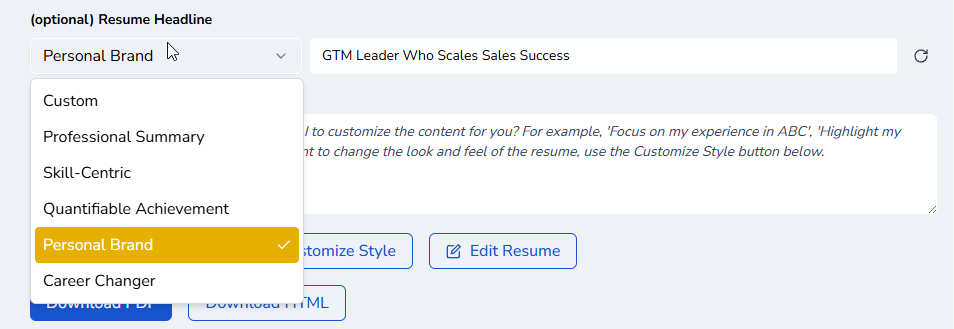
    Having a resume headline is so important I've integrated it into the default flow of creating a resume. You can choose what style of headline the AI generates, you can click on it to edit it. If you really don't want a headline, you can go to "Customize Style" -> Sections tab and click the visibility toggle for headline. Also, I made the resume directly editable so you can make edits without opening the separate edit window. Let me know what you think!
  • Chrome Extension 1.1.4 - auto-fill

    1
    0 Votes
    1 Posts
    5 Views
    A
    A bug prevented auto-fill feature from communicating with the Hirecarta app but that's fixed. If you use the feature, please leave comments. I know it doesn't completely fill out forms but if you let me know what's important to you, I can prioritize it.
  • Hirecarta 1.2.24 - overhaul of how applications are handled

    3
    0 Votes
    3 Posts
    12 Views
    A
    Thanks. So you noticed the new docx download option? How is it working out for you?
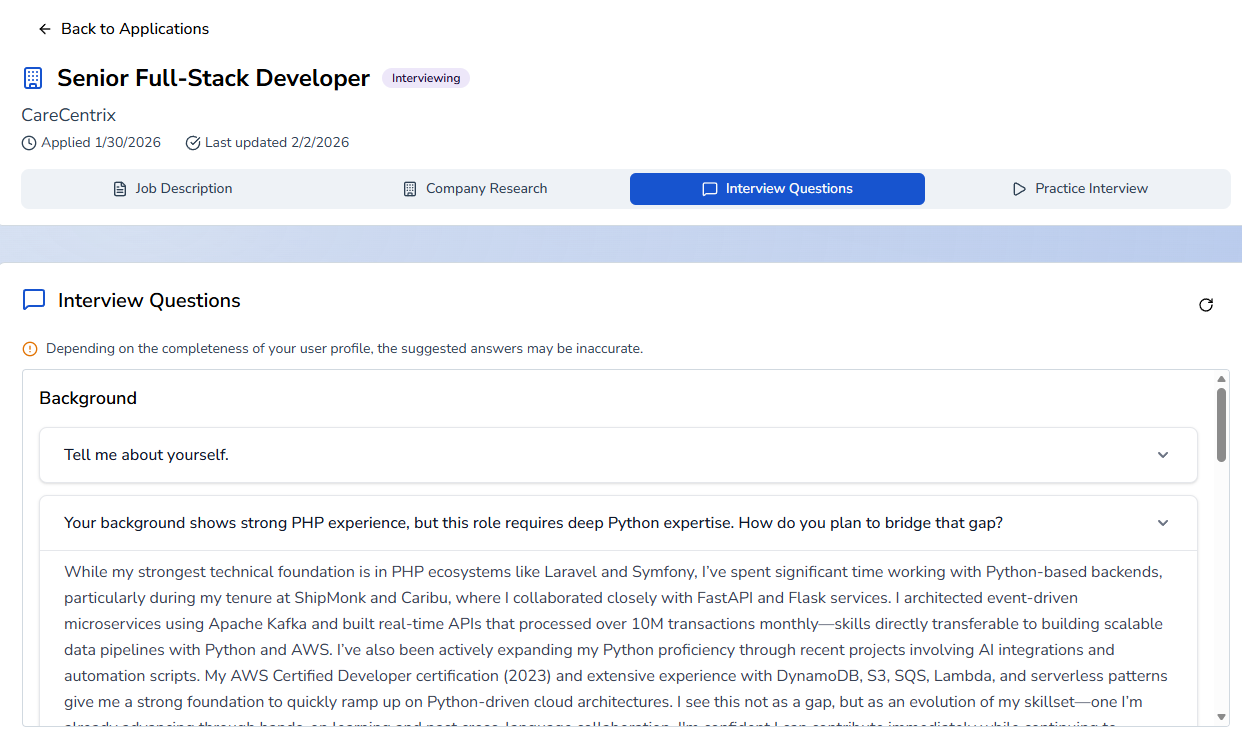
  • Hirecarta 1.2.23 - resume headline and section regeneration

    1
    2
    1 Votes
    1 Posts
    6 Views
    A
    2 big updates! It's important for your resume to have a headline. Like a headline in a newspaper article, it immediately tells the recruiter what you are about. Now, AI can generate the headline, in many common styles. [image: 1768950677199-b01ae166-27a7-456e-9d2e-4492a4a46152-image.png] When you click "Edit Resume", you can now regenerate individual sections. People have said to me, "I like everything the AI made in the resume except just one section, can it make just that section and preserve the others?" In that case, the answer is yes! You can click on the circular arrow to regenerate the section. [image: 1768950812431-b28db978-e0c4-4958-bc3f-2277990a8f77-image.png] As always, let me know if you encounter any bugs, or give a shout if you find the feature useful.
  • Hirecarta 1.2.21 - cover letter improvement

    1
    1 Votes
    1 Posts
    9 Views
    A
    I did deep research on modern cover letters and there is general consensus that the 3-paragraph format is ideal. First paragraph is an attention grabber and connects some significant accomplishment to the job title. Second paragraph is expanding on why you are a great fit. Third paragraph is a strong closing and expresses enthusiasm for the role without being cliche. Please give me feedback below on your thoughts and results!
  • Hirecarta 1.2.20 - events/workshop calendar and registration

    1
    1
    0 Votes
    1 Posts
    4 Views
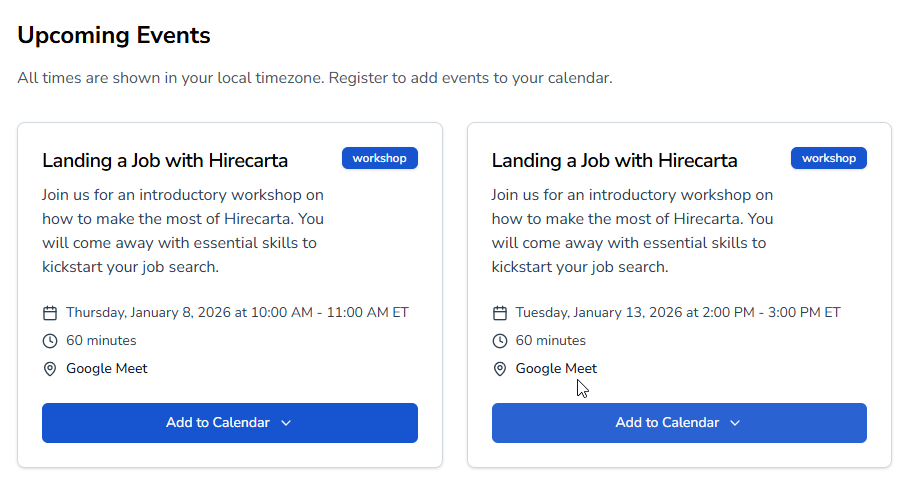
    A
    To help you get the most out of Hirecarta, I'll be running beginner and advanced workshops. You can sign up on the events page. [image: 1767751789700-8562e017-fc69-431d-9fcf-5678b99782f1-image.png]
  • Hirecarta 1.2.19 - improved resume output

    1
    1 Votes
    1 Posts
    6 Views
    A
    I'm using one of the top frontier AI models to build the resumes. I spent hours comparing all the models and updating the prompt to minimize hallucinations and make it sound more "human". Post your feedback below and whether you notice any difference. If anything should be tweaked, let me know.
  • Hirecarta 1.2.18 - labeled all input boxes for clarity

    1
    1
    0 Votes
    1 Posts
    7 Views
    A
    It's now clear what should go in each input box: [image: 1766013665160-6f30c751-6590-4429-9eab-bd1b8981cd5c-image.png]
  • Hirecarta 1.2.17 - add ad hoc bullets to resume

    2
    1
    0 Votes
    2 Posts
    5 Views
    A
    It looks so simple, but it took 2 days of coding to get it to work perfectly!
  • Hirecarta 1.2.15 - security and bug fixes

    1
    0 Votes
    1 Posts
    12 Views
    A
    There's a major security vulnerability that was just announced. It affects a large percentage of web apps out there. I'm releasing this update as soon as possible. Just taking care of my users.
  • Hirecarta 1.2.14 - clear job description

    1
    0 Votes
    1 Posts
    7 Views
    A
    Added a button to clear the job description fields, in case you're pasting in a new job description. Use the Chrome extension whenever you can, it's so much faster! Also fixed lots of "under the hood" look and feel issues. What else would you like to see? It's Giving Tuesday, please consider donating even a small amount!
  • Hirecarta 1.2.13 - security and bug fixes

    1
    0 Votes
    1 Posts
    5 Views
    A
    Conducted a security and bug review to fix several issues. If you don't have a LinkedIn profile, the cover letter signature block will no longer just show "LinkedIn:"
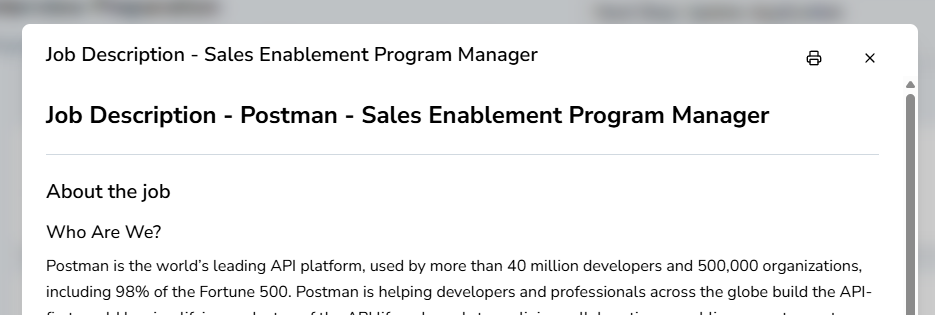
  • Hirecarta 1.2.12 - print job description and interview prep

    2
    1
    0 Votes
    2 Posts
    10 Views
    A
    I also improved the dark mode theme on most pages.
  • Chrome extension 1.1.3

    1
    0 Votes
    1 Posts
    11 Views
    A
    MAJOR UPDATE: You can now auto-fill job application websites with information from your profile. Please provide feedback in the comments below about how useful it is, how you'd like to see it improved.
  • Hirecarta 1.2.11

    1
    0 Votes
    1 Posts
    3 Views
    A
    On the interview prep page, added storage of the generated company research so you can come back to it again.
  • Hirecarta 1.2.7

    1
    0 Votes
    1 Posts
    7 Views
    A
    Important feature! New tab (looks like LinkedIn logo) that will generate messages to send to the possible recruiters, hiring manager, and connections you have at the company. This will get your application more looks than other candidates, for sure.